


How To Become A UX Designer in 2025: A Step-by-Step Guide
Discover how to become a UX designer in 2025 with this step-by-step guide. Learn essential skills, tools, and strategies to build a successful UX career.


Table of Content
-
Why UX Design is Booming in 2025
-
What Does a UX Designer Actually Do?
-
Step 1: Understand the Core Concepts of UX
-
Step 2: Learn the Key Tools of the Trade
-
Step 3: Master the UX Design Process (Start to Finish)
-
Step 4: Build Projects and a Portfolio That Stands Out
-
Step 5: Get Mentorship and Real Feedback
-
Step 6: Apply for Jobs and Freelance Gigs Smartly
-
Optional Step: Transition from Another Career
-
How Long Does It Take to Become a UX Designer in 2025?
-
How Bisjhintus Can Help You Learn UX Design
-
FAQs
-
Your UX Design Journey Starts Now
Why UX Design is Booming in 2025?
In 2025, the demand for seamless digital experiences has reached an all-time high. As businesses race to differentiate themselves, the one factor that often determines success is user experience (UX). Whether you're browsing a healthcare app, booking tickets on your phone, or interacting with an AI-powered dashboard at work, the design behind that interaction makes or breaks your experience.
UX design is no longer optional — it's essential.
The role of the UX designer has evolved from being a “nice-to-have” in tech companies to being a core strategic function in industries like finance, healthcare, e-commerce, education, and beyond. The digital transformation of everything — from shopping and banking to fitness and education — has created an urgent need for professionals who can build intuitive, inclusive, and satisfying user journeys.
In response to this demand, UX design has become one of the most future-proof and people-centered careers of the decade. The barriers to entry have lowered, with high-quality online courses, affordable design tools, and community support now easily available to anyone with a laptop and motivation.
This guide will walk you through exactly how to start — even if you’re a complete beginner. From understanding the basics to creating a winning portfolio and finding your first job, we’ll cover every step of the journey.
1. What Does a UX Designer Actually Do?

Before diving into the “how,” it’s important to understand the “what.” What do UX designers actually do, and what makes them so valuable?
A UX designer focuses on creating meaningful experiences for users when they interact with a product or service. This includes making websites, mobile apps, and software not only usable, but enjoyable.
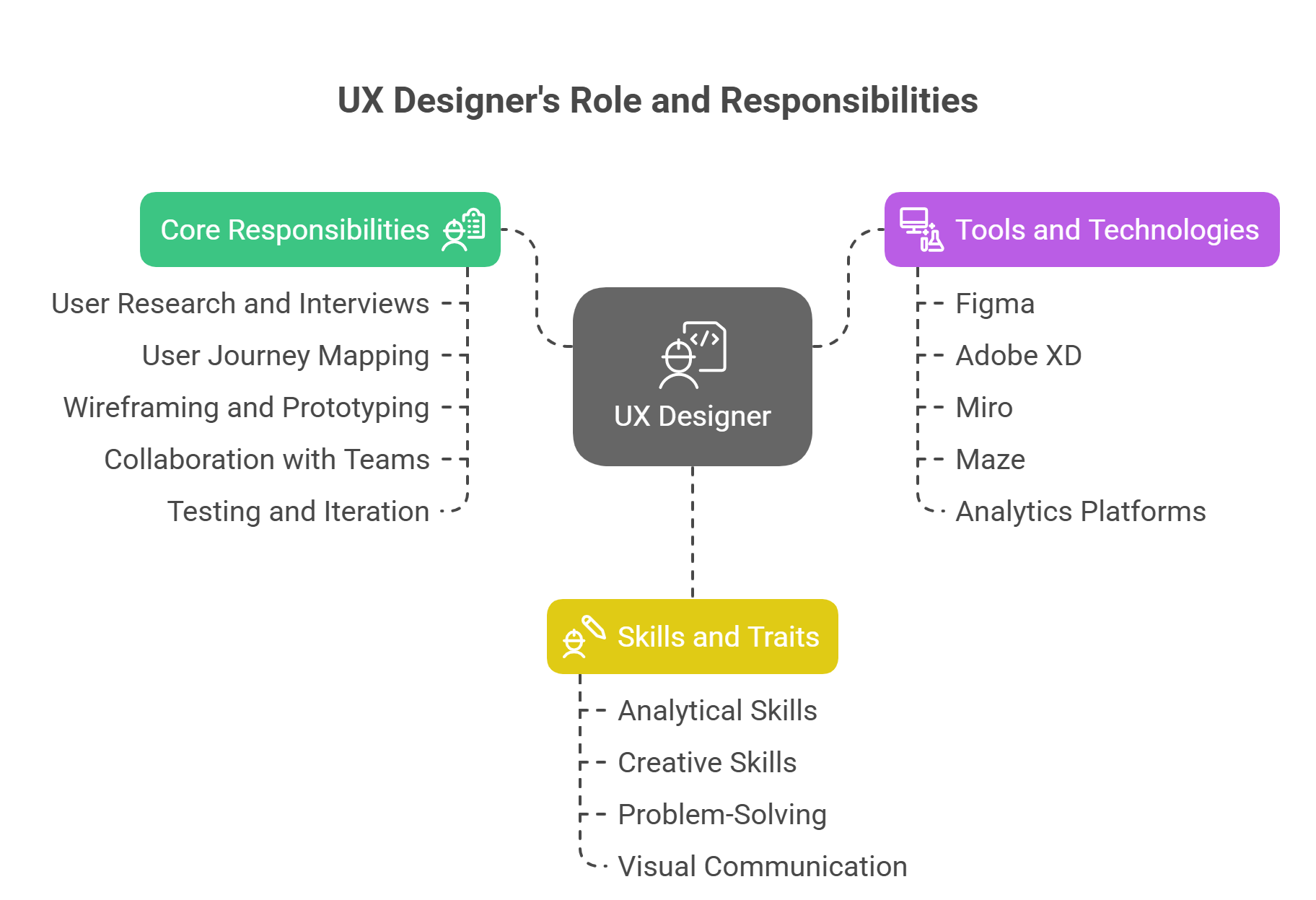
Core responsibilities of a UX designer:
- Conducting user research and interviews
- Mapping out user journeys and pain points
- Creating wireframes, prototypes, and mockups
- Collaborating with UI designers, developers, and stakeholders
- Testing and iterating based on user feedback
The work is both analytical and creative. You’ll need to understand human behavior, solve problems with logic, and present your solutions visually. UX designers are essentially the bridge between what the user wants and what the business needs.
In today’s landscape, UX designers often work with tools like Figma, Adobe XD, Miro, Maze, and analytics platforms like Hotjar or Google Analytics to test and refine user experiences.
If you’re someone who enjoys combining psychology, design, storytelling, and technology, this career path may be your perfect fit.
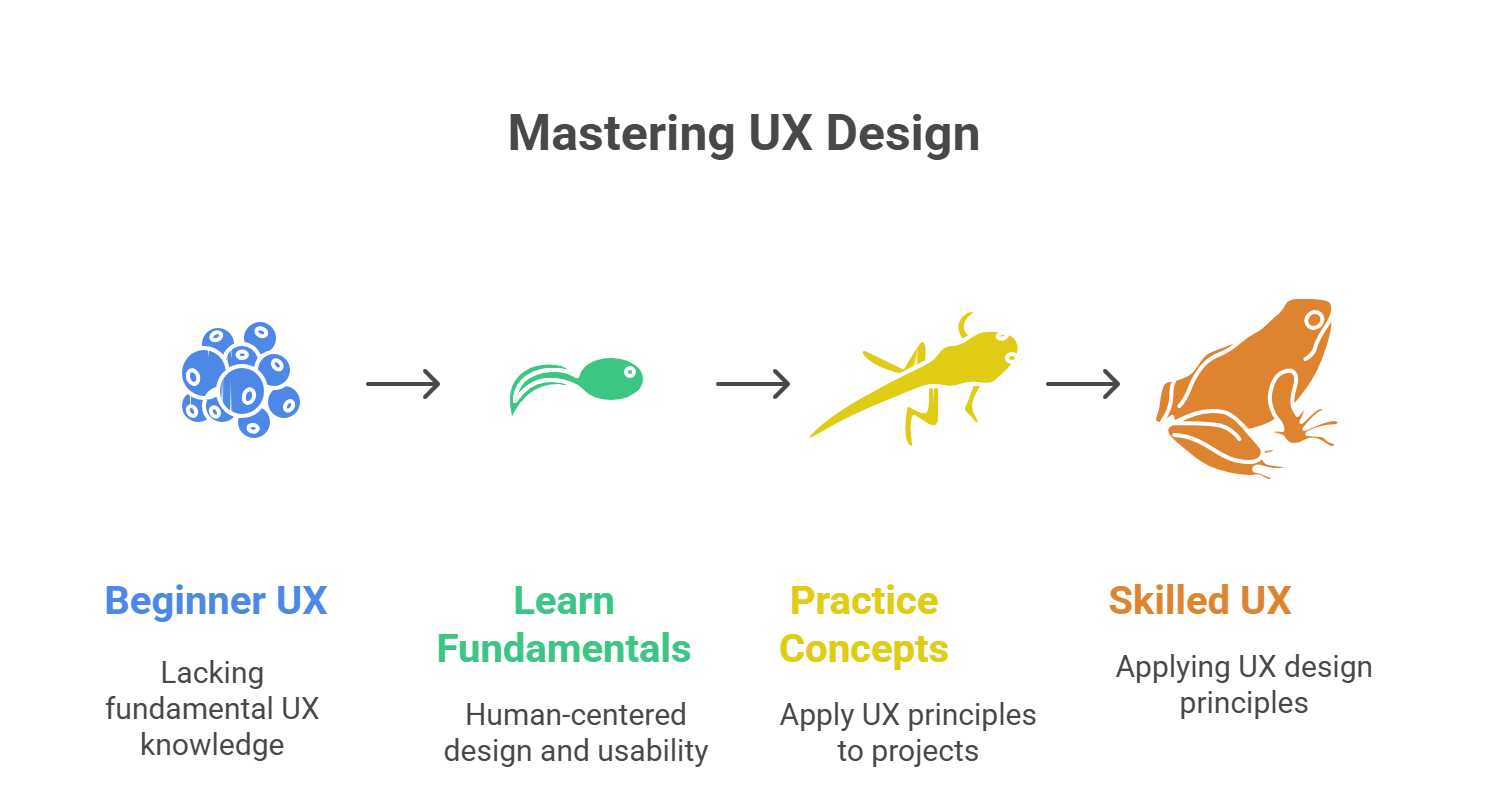
2. Step #1: Understand the Core Concepts of UX

Your journey begins with learning the fundamentals of UX design. These are the building blocks upon which all future skills will grow.
Concepts to master at this stage:
- Human-Centered Design: Everything starts with the user. You'll learn how to place the user at the core of every decision.
- Usability: Is your product intuitive? Can users accomplish tasks without confusion?
- Accessibility: Ensuring inclusivity across different user groups, including those with disabilities.
- Information Architecture (IA): How content and features are organized to guide users efficiently.
- Interaction Design (IxD): How users interact with digital interfaces through gestures, buttons, and animations.
Start by reading well-reviewed UX books like “Don’t Make Me Think” by Steve Krug or “The Design of Everyday Things” by Don Norman. These will help shift your mindset from “how it looks” to “how it works for the user.”
Plenty of beginner-friendly YouTube channels and free resources can help you visualize concepts and break down case studies.
Pro tip: Don’t get overwhelmed — absorb gradually, and revisit concepts often. Learning UX is like learning a language; fluency comes with time and practice.
3. Step #2: Learn the Key Tools of the Trade

Once you understand the foundational concepts, the next step is to become proficient in the tools that UX designers use daily. These tools help translate your ideas into visual experiences and allow collaboration, testing, and iteration across design teams.
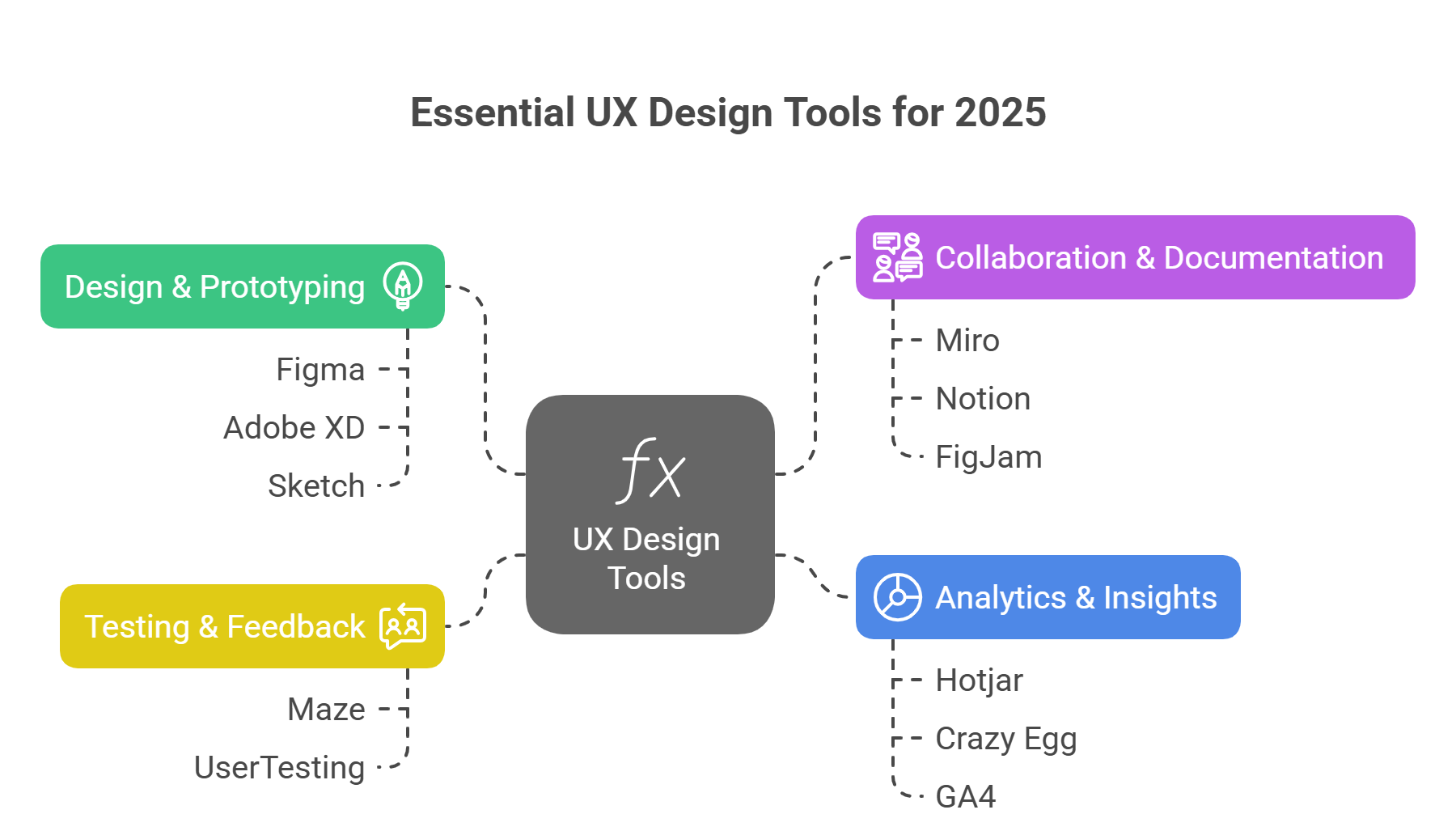
Must-Know Tools for 2025 UX Designers:
- Figma: The industry-standard for collaborative design. Use it for wireframing, prototyping, and UI mockups.
- Miro: Ideal for brainstorming, user flows, and mapping user journeys.
- Adobe XD & Sketch: Still used in many companies, especially in legacy projects.
- Maze & UserTesting: Platforms to run usability testing and collect real user feedback.
- Notion & FigJam: Great for documenting design decisions and collaborating in real time.
- Hotjar, Crazy Egg, or GA4: Tools to analyze user behavior through heatmaps and sessions.
Learning these tools doesn’t mean mastering all features at once. Start with Figma — it’s free, beginner-friendly, and powerful enough for professional work. Focus on learning layout design, creating components, using auto-layout, and basic prototyping.
Learning Strategy:
- Follow tool-specific tutorials (YouTube, Coursera, or tool websites)
- Clone existing designs to understand structure and spacing
- Join Figma communities to access free UI kits and templates
Becoming fluent in tools enhances your confidence and efficiency, and it also helps you communicate better with teams and stakeholders.
4. Step #3: Master the UX Design Process (Start to Finish)
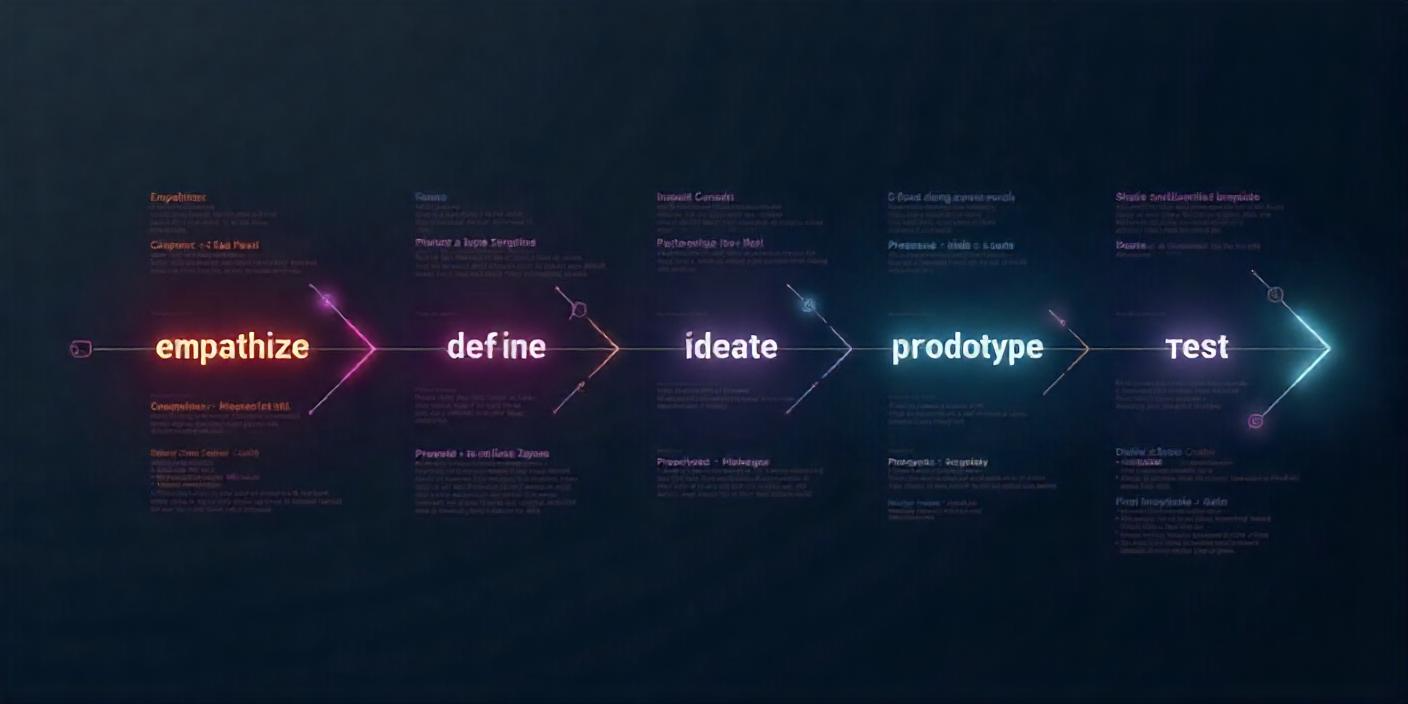
Understanding how UX projects unfold in the real world is critical. The UX design process is a cycle — not a straight line — and knowing how each phase works prepares you to contribute effectively.
Phases of the UX Design Process:
- Empathize – Conduct user research to understand your audience
- Define – Identify the problem and user needs based on research insights
- Ideate – Brainstorm creative and effective solutions
- Prototype – Build low- or high-fidelity prototypes to test ideas
- Test – Validate your design with users and refine it based on feedback
- Implement & Iterate – Work with developers and continue improving post-launch
Each stage has its own methods and deliverables:
Phase | Common Deliverables |
Empathize | User interviews, surveys, and personas |
Define | User journeys, problem statements |
Ideate | Wireframes, sketches, flow diagrams |
Prototype | Interactive mockups (Figma/Adobe XD) |
Test | Usability test reports, feedback sessions |
Implement | Final handoff files, design documentation |
Key Tip:
Always document each step. Employers and clients love seeing how you solve problems, not just pretty screens. Following this process also trains your brain to think like a strategist, not just a visual designer.
5. Step #4: Build Projects and a Portfolio That Stands Out

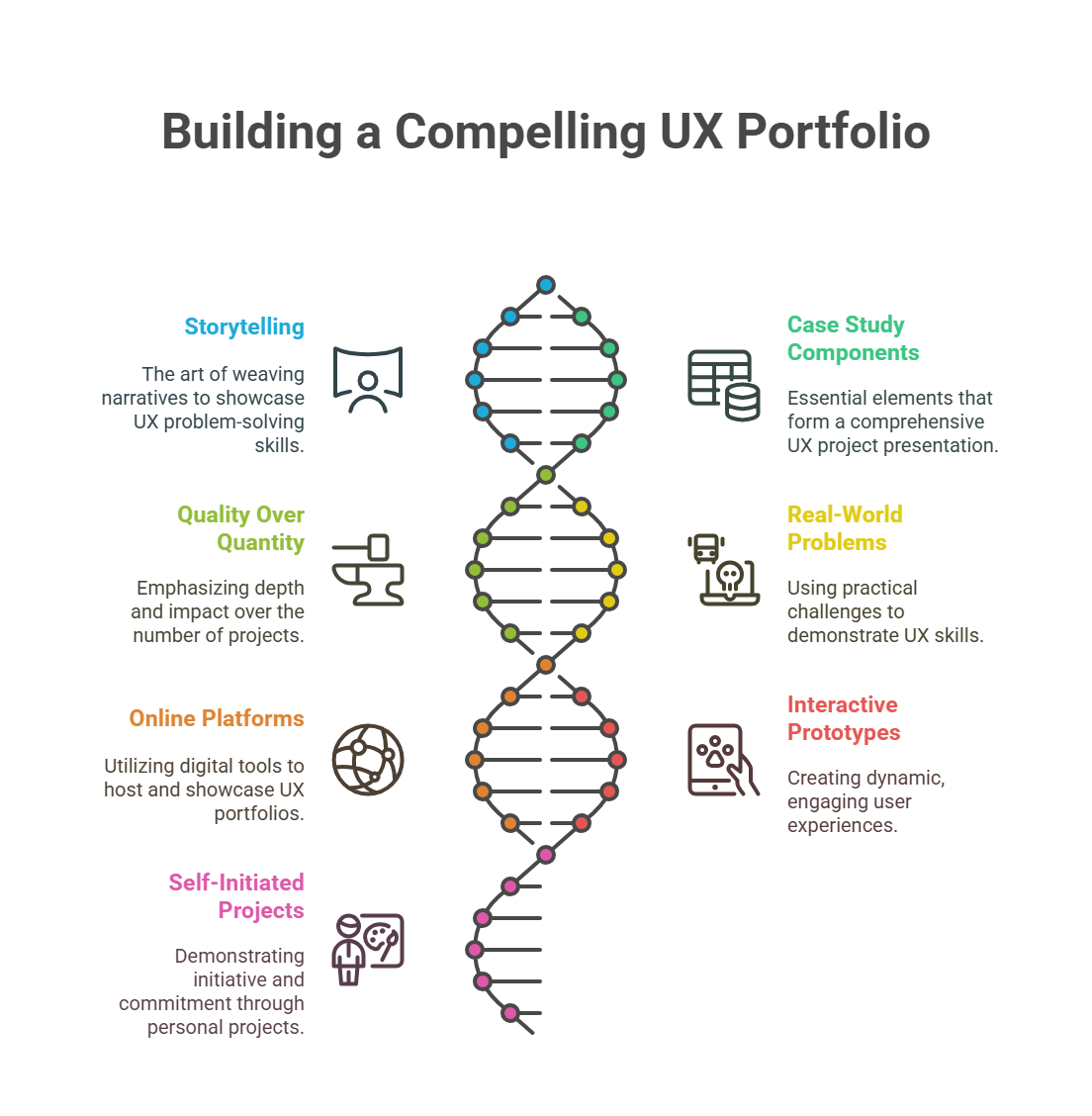
A great UX portfolio isn’t just a collection of visuals — it’s a storytelling tool. It showcases how you approach problems, think critically, and put the user first.
What to Include in a UX Case Study:
- Project overview (What was the challenge?)
- Your role and responsibilities
- Research process and insights
- Wireframes and prototypes
- Final design with explanation
- Usability testing results and iterations
- What you learned and would do differently
Tips to Build a Strong Portfolio in 2025:
- Focus on quality over quantity. 2–3 solid projects > 10 weak ones.
- Use real-world problems — redesign a popular app or solve a problem in your community.
- Host your portfolio online using platforms like Notion, Behance, Wix, or Webflow.
- Create interactive prototypes for each project — not just static screens.
If you don’t have client work yet, create self-initiated or volunteer projects. What matters most is demonstrating your thought process and commitment to UX principles.
6. Step #5: Get Mentorship and Real Feedback

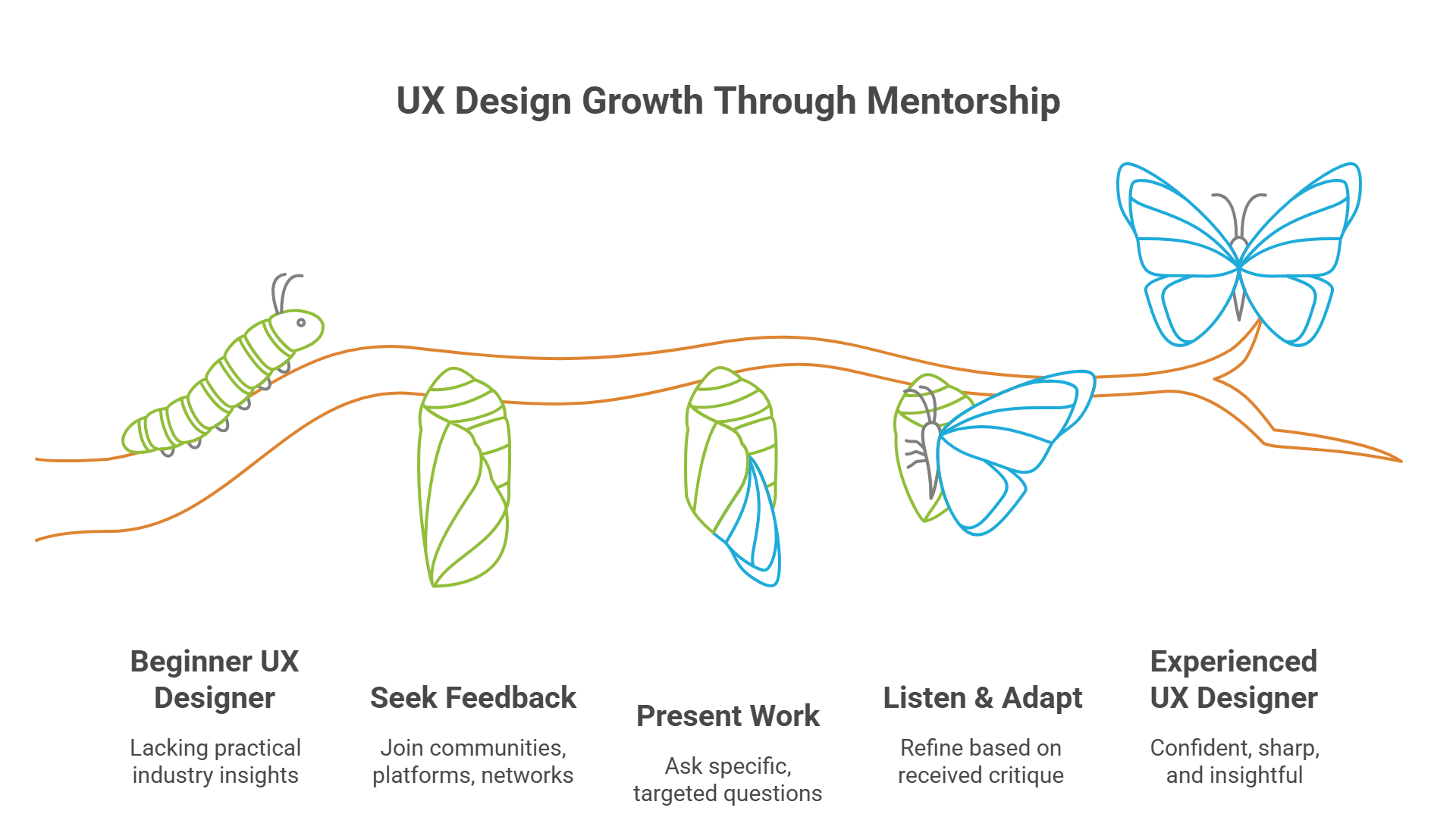
No matter how many tutorials you watch or books you read, real growth in UX design comes from feedback, especially from those ahead of you in the field. Mentorship not only accelerates your learning but also prevents common beginner mistakes.
Why Mentorship Matters in UX:
- It sharpens your critical thinking and design process.
- It gives you practical industry insight that no course can fully replicate.
- It helps you build confidence in your decision-making.
- It introduces you to networking and collaboration early in your journey.
You don’t have to wait for a job to get feedback. You can seek it out actively through:
- UX design communities on Slack or Discord (like Designer Hangout, ADPlist, or UX Mastery)
- Design feedback platforms (like Dribbble or Reddit’s r/UserExperience)
- Mentorship networks (such as ADPlist or GrowthMentor)
- Participating in design challenges and hackathons with peer reviews
When presenting your work for feedback, be specific. Ask questions like:
- “Is this user flow clear for a first-time visitor?”
- “Do the hierarchy and layout support task completion?”
- “Is this call-to-action effective?”
Receiving critique can feel tough at first, but it’s a superpower for growth. All great designers started where you are — what made them grow was listening, adapting, and refining based on feedback.
7. Step #6: Apply for Jobs and Freelance Gigs Smartly

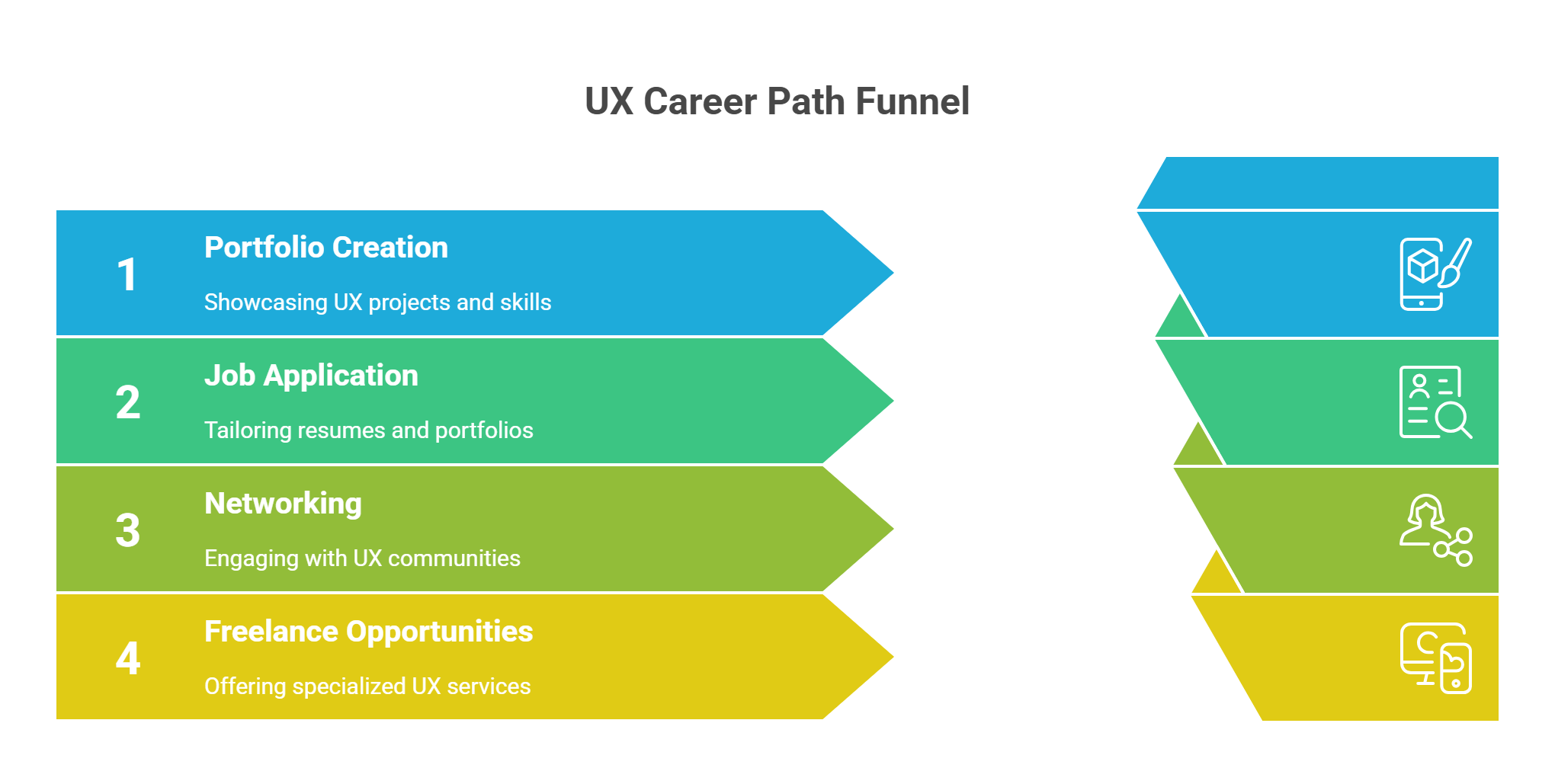
Once you have a solid portfolio, tool proficiency, and a clear understanding of UX principles, it’s time to start your job search or land freelance work. This phase is as strategic as it is personal.
UX Career Paths to Explore in 2025:
- UX Designer
- Product Designer
- UX Researcher
- Interaction Designer
- Accessibility Specialist
- UX Writer or Content Designer
Tips for Job Applications:
- Customize your resume and portfolio for each job. Highlight skills that match their product and design culture.
- Include your process in every project, not just results.
- Write strong case studies. Recruiters and hiring managers are more interested in why you made design decisions than in a perfect UI.
- Be proactive in networking on LinkedIn, Behance, and UX community events.
- Showcase soft skills too — communication, collaboration, time management — all highly valued in UX teams.
For Freelancers:
- Create a niche: UX for e-commerce, nonprofits, or fintech, for example.
- Offer services like UX audits, landing page redesigns, or usability testing packages.
- Use platforms like Upwork, Toptal, Fiverr, or Contra, but don’t rely on them alone — cold-email startups, build referrals, and network constantly.
- Charge based on value, not just hours. Explain how better UX will increase conversions, retention, or task completion for the client.
Breaking into UX might take some persistence — but with the right presentation and communication, your skills will speak louder than a degree.
8. Optional Step: Transition from Another Career

If you're coming from a non-design background — say marketing, psychology, teaching, IT, or even hospitality — you're not alone. UX design is one of the most welcoming fields for career changers because it thrives on diverse perspectives.
Transferable Skills That Help You Succeed:
Previous Field | UX-Related Strengths |
Marketing | User empathy, copywriting, and audience targeting |
Psychology | Human behavior, usability research, and cognitive load |
Teaching | Instructional design, simplification, communication |
IT/Development | Tech fluency, systems thinking, user logic |
Customer Service | Empathy, problem-solving, and pain point discovery |
Start by learning UX fundamentals on the side. Then gradually build case studies or take part-time freelance gigs to gain experience. You don’t need a formal degree — your portfolio will speak for you.
Remember: your unique background makes your design perspective more valuable, not less.
How Long Does It Take to Become a UX Designer in 2025?
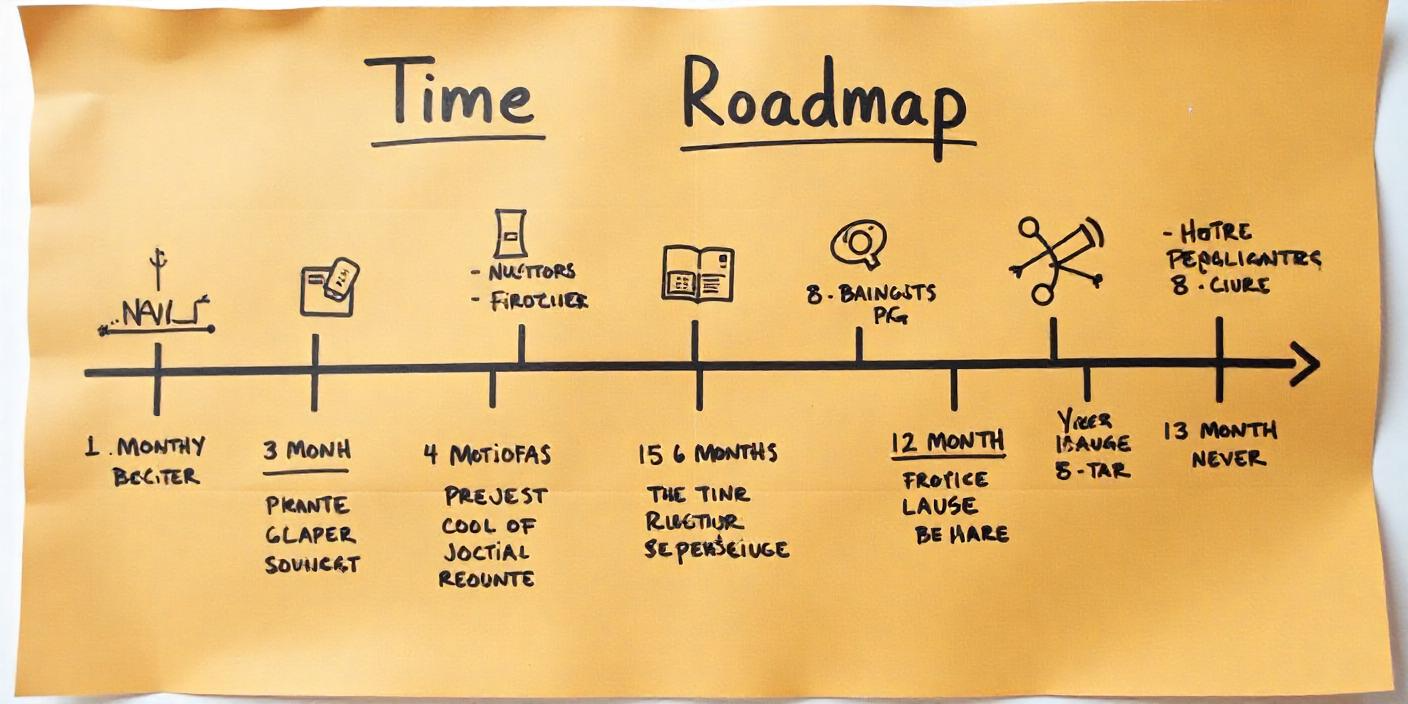
The timeline to become a job-ready UX designer varies depending on your background, learning pace, and dedication. But with today’s resources, a focused and guided effort can get you there faster than you think.
Common Learning Timelines:
Commitment Level | Approximate Duration | Outcome |
Full-Time Learner | 3–6 months | Portfolio-ready for junior UX roles |
Part-Time Learner | 6–12 months | Able to freelance or apply for internships |
Casual/Weekend Learner | 12–18 months | Can build strong personal projects |
What matters more than speed is depth and consistency. Hiring managers value candidates who demonstrate process thinking, user empathy, and attention to detail over someone who rushes through learning.
Your learning journey should include:
- Core concepts and processes
- Hands-on tools experience
- At least 2–3 solid case studies
- Feedback and iteration
Treat it like a serious investment — and you’ll be job-ready in less than a year, even with no design background.
How Bisjhintus Can Help You Learn UX Design

If you're ready to begin your UX journey, Bisjhintus offers a comprehensive, beginner-friendly UX Design course built for the realities of 2025.
What Our Course Offers:
- Full UX Design Curriculum: Covers all 7 key skills from research to analytics
- Project-Based Learning: Build a real portfolio as you go
- Mentorship Access: Get feedback from experienced UX professionals
- Self-Paced Format: Flexible for students and working professionals
- Certification: Gain a certificate that strengthens your resume
Whether you’re looking to switch careers, upskill, or launch your first portfolio, our course equips you with the knowledge, tools, and support to succeed in UX.
Start your UX design journey with Bisjhintus today. Learn at your own pace. Build with confidence. Enroll Now [Link]
FAQs
1. Do I need a degree to become a UX designer?
No. Most employers prioritize your portfolio and problem-solving skills over formal education.
2. Is UX design only for people with a creative background?
Not at all. UX is a mix of creativity, research, logic, and empathy — people from psychology, business, or tech do equally well.
3. Can I learn UX design for free?
Yes. Many resources are free online, but structured guidance and feedback (like in our course) can accelerate your success.
4. What industries will hire UX designers in 2025?
Almost every industry, including tech, healthcare, finance, e-commerce, education, and nonprofits.
5. Do I need to learn UI or coding too?
Learning UI helps, but it’s not mandatory. Coding is a plus, especially in startups, but not required for most UX roles.
Your UX Design Journey Starts Now

UX design isn’t just about pixels and prototypes — it’s about creating meaningful digital experiences that empower real people. In 2025, as digital interactions define nearly every aspect of life, the role of a UX designer has never been more vital or exciting.
If you’ve ever wanted to blend creativity with impact or design with strategy, UX design offers a career path that’s future-proof, flexible, and fulfilling. From understanding users to crafting thoughtful solutions, your journey as a UX designer will constantly challenge and inspire you.
The steps we’ve outlined aren’t abstract theory — they’re real, practical, and proven. You don’t need years of education or a perfect resume. What you need is curiosity, consistency, and a commitment to solving problems for people.
So take that first step today. Whether it’s learning your first tool or mapping your first user journey, each click brings you closer to a career that’s both rewarding and deeply human.
Written By
Critical Legal Writer Intern at BISJHINTUS, English Honours (Gold Medalist) / LL.B.

Designed By
UI/UX Designer at BISJHINTUS

Share this post:
Leave a comment
Your email address will not be published. Required fields are marked *
Write a Review
Related Posts

Confused between UX and UI design? Discover the real differences between UX and UI in 2025, explore...

Master the 7 top UX design skills for 2025! Learn user research, IA, prototyping, analytics & mo...
