


Comparison Between UX and UI Design in 2025: What’s the Real Difference?
Confused between UX and UI design? Discover the real differences between UX and UI in 2025, explore skills, tools, and career paths, and find out which role suits you best.


Table of Content
-
Why UX vs UI Still Confuses People in 2025
-
What is UX Design?
-
What is UI Design?
-
UX vs UI: Key Differences Explained
-
UX and UI in Action: Real-Life Examples
-
Tools Used by UX Designers vs UI Designers in 2025
-
Skills Required for UX and UI Roles
-
Career Opportunities: Which One Should You Choose?
-
Can One Person Do Both UX and UI in 2025?
-
How UX and UI Work Together in Product Teams
-
Choosing Your Path: UX, UI or Both?
-
Learn UX/UI Design with Bisjhintus
-
FAQs
-
Different Roles, One Goal

Why UX vs UI Still Confuses People in 2025?
Even in 2025, one of the most common design questions remains: What’s the difference between UX and UI?
Search the internet or job boards, and you’ll find the terms “UX/UI” used together as if they were the same thing. But in reality, they are distinct disciplines that serve different yet complementary purposes.
Think of a digital product like your favorite mobile app. The UX (User Experience) shapes how smoothly you can navigate, how logical the steps feel, and how well it solves your problem. The UI (User Interface) shapes how it looks — the colors, buttons, typography, and visual layout that you interact with.
As digital ecosystems become more complex, understanding these differences becomes crucial, not just for aspiring designers but also for businesses, developers, and marketers who work with them.
This article breaks down UX and UI in simple, human terms, explains how they work together, and helps you decide which career path might be right for you.
1. What is UX Design?

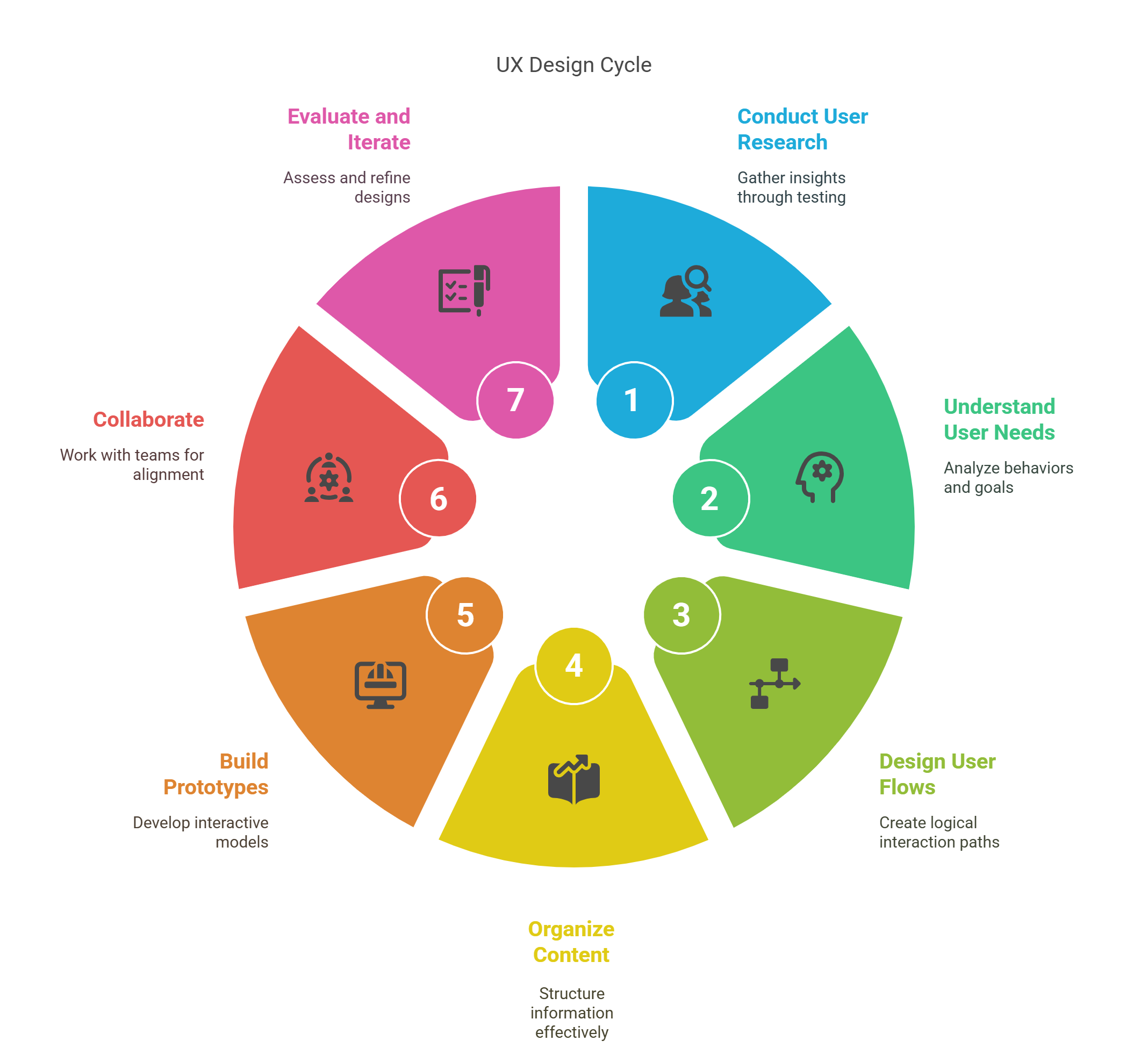
User Experience (UX) Design is about creating smooth, useful, and satisfying experiences for users as they interact with a product or service. It’s less about visuals and more about structure, logic, and human behavior.
Core responsibilities of a UX designer:
- Conduct user research and usability testing
- Understand user needs, behaviors, and goals
- Design user flows and wireframes
- Organize content (Information Architecture)
- Build interactive prototypes
- Collaborate with product managers and developers
UX designers ask questions like:
- Is this feature easy to find?
- Does this flow make sense to the user?
- Where are users dropping off, and why?
They use empathy and data to ensure a product solves real problems and feels natural to use.
2. What is UI Design?

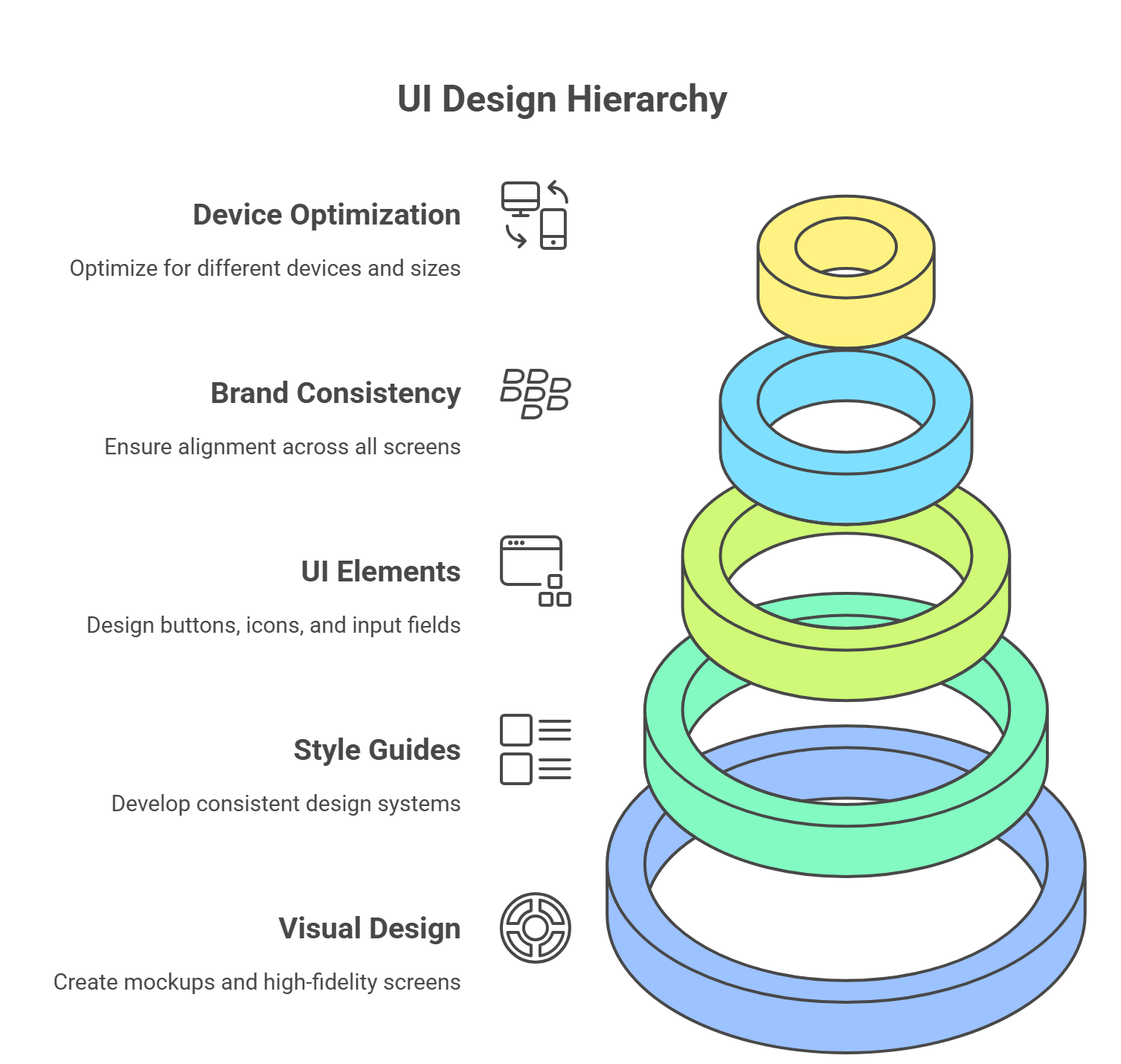
User Interface (UI) Design focuses on how a product looks and feels on the surface. It’s the visual and interactive layer — what users actually see and click or tap on.
Core responsibilities of a UI designer:
- Create visual design mockups and high-fidelity screens
- Develop consistent style guides and design systems
- Design UI elements (buttons, icons, input fields)
- Ensure brand consistency across all screens
- Optimize for different devices and screen sizes
UI designers ask questions like:
- Does this button stand out enough?
- Is the typography readable and accessible?
- Are these colors consistent with brand identity?
They focus on aesthetics, clarity, accessibility, and emotion through visual design.
3. UX vs UI: Key Differences Explained

While UX and UI work hand-in-hand, they focus on entirely different aspects of product development. Let’s break down the core distinctions between them to finally end the confusion in 2025.
UX vs UI: Side-by-Side Breakdown
Feature | UX Design (User Experience) | UI Design (User Interface) |
Primary Goal | Solve problems and ensure ease of use | Make the product visually appealing and usable |
Focus Area | Functionality, structure, user journey | Visual layout, branding, and interaction |
Key Deliverables | Wireframes, user flows, prototypes | High-fidelity designs, design systems |
User Involvement | Heavy (research, testing, interviews) | Moderate (feedback on visual preference) |
Tools Commonly Used | Figma, Miro, UXPin, Hotjar, Maze | Figma, Adobe XD, Sketch, Zeplin |
Metrics of Success | Task success rate, usability scores | Aesthetic appeal, engagement, consistency |
Work Starts | Early in product development | After the UX foundation is established |
Learning Curve | Requires understanding of psychology, logic | Requires mastery of design principles, visuals |
UX is the Skeleton, UI is the Skin
You can think of UX as the skeleton and organs — the structure and systems that make a product function well. UI is the skin and clothing — the surface look, feel, and interaction.
Neither is more important than the other. A beautiful UI without good UX is frustrating. A logical UX with a bad UI feels dry and outdated. In 2025, users expect both.
4. UX and UI in Action: Real-Life Examples
Let’s bring the theory to life. Here are some common digital experiences where UX and UI each play vital roles.
Example 1: A Food Delivery App
- UX:
- Ensures users can search for nearby restaurants easily
- Streamlines the checkout process in fewer steps
- Uses GPS accurately to update delivery times
- Offers clear feedback if payment fails
- Ensures users can search for nearby restaurants easily
- UI:
- Creates appealing food images and intuitive icons
- Designs a consistent color palette that matches the brand
- Uses clean typography for easy menu reading
- Animates progress bars for order tracking
- Creates appealing food images and intuitive icons
Example 2: A Fitness Tracker
- UX:
- Helps users track workouts and goals with minimal steps
- Sends personalized health reminders
- Analyzes past performance with intuitive dashboards
- Helps users track workouts and goals with minimal steps
- UI:
- Uses color-coded visuals for progress
- Includes animated icons for different workouts
- Designs a calm, clean aesthetic to promote wellness
- Uses color-coded visuals for progress
These examples show how UX and UI enhance different layers of a product, but the final result depends on their synergy.
5. Tools Used by UX Designers vs UI Designers in 2025

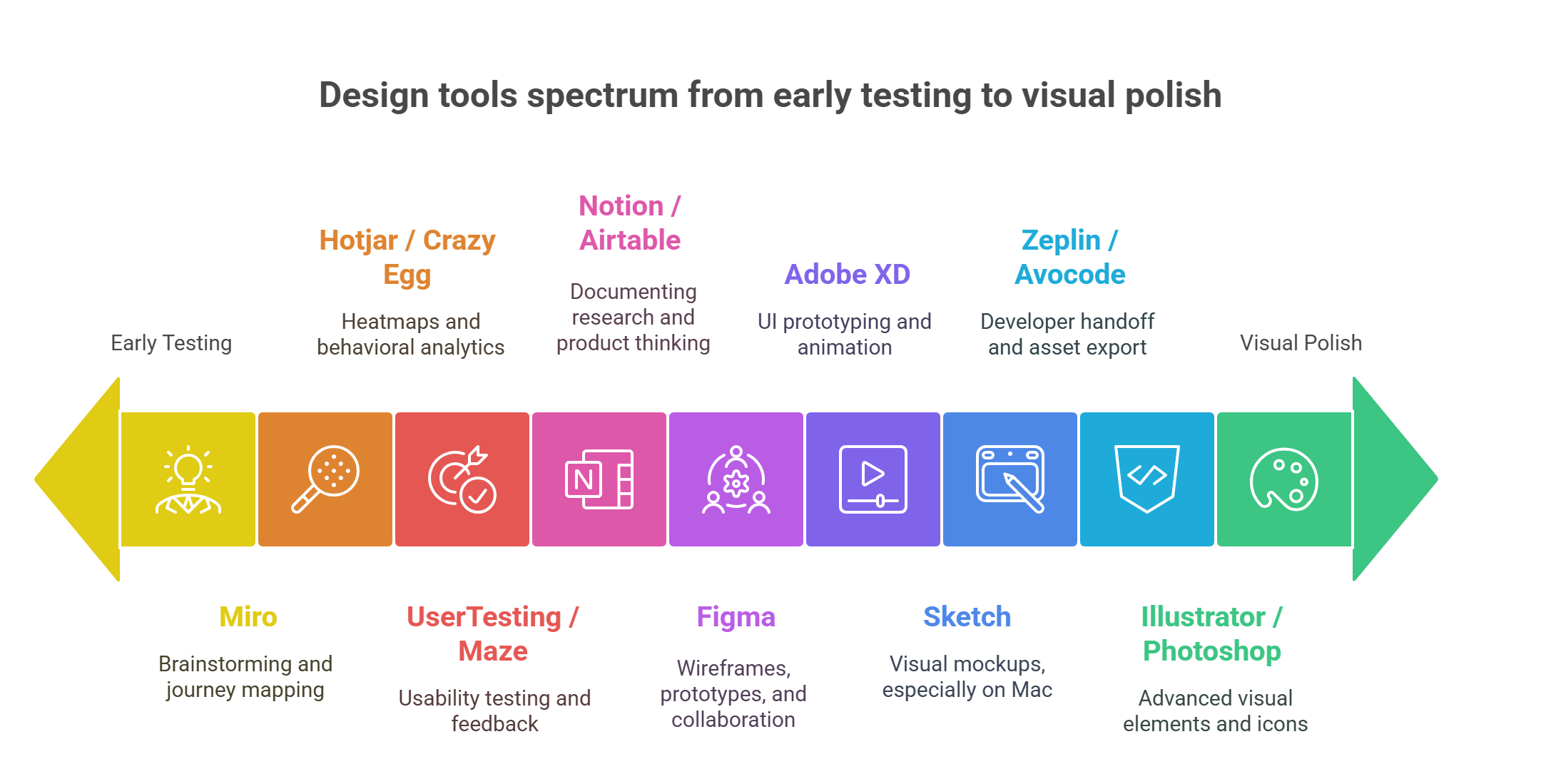
In 2025, the design landscape is shaped by powerful, cloud-based tools that promote real-time collaboration, testing, and scalable systems. Let’s see what tools are most commonly used by each discipline.
UX Design Tools:
- Figma – For low-fidelity wireframes, prototypes, and collaboration
- Miro – For brainstorming, mind-mapping, and journey mapping
- Hotjar / Crazy Egg – For heatmaps and behavioral analytics
- UserTesting / Maze – For usability testing and feedback collection
- Notion / Airtable – For documenting research and product thinking
UI Design Tools:
- Figma – For creating pixel-perfect interfaces and components
- Sketch – Widely used for visual mockups (especially on Mac)
- Adobe XD – UI prototyping and animation (still common in 2025)
- Zeplin / Avocode – For developer handoff and asset export
- Illustrator / Photoshop – For advanced visual elements and icons
While there’s some overlap — particularly with Figma — the intent behind using the tools differs. UX designers use them to test ideas early; UI designers focus on visual polish and scalability.
. Skills Required for UX and UI Roles
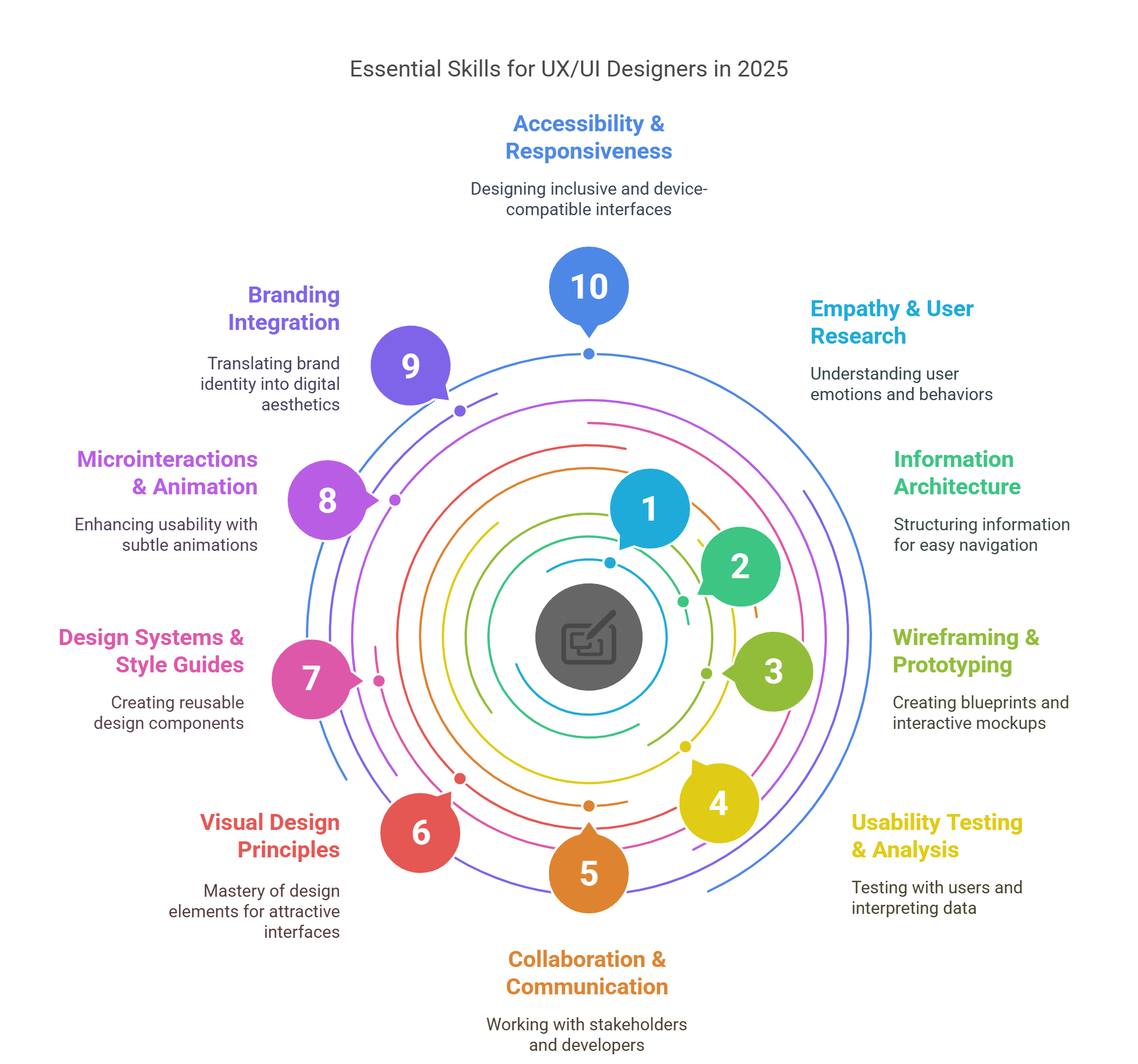
To succeed as a UX or UI designer in 2025, you’ll need more than just tool knowledge — you’ll need a specific skill set tailored to your role. Let’s break down the essential competencies for each.
UX Designer Skill Set
1. Empathy & User Research
Understanding users’ emotions, behaviors, and pain points is foundational. UX designers must master the art of asking the right questions and listening deeply.
2. Information Architecture (IA)
Structuring information in a way that users can navigate with ease — using sitemaps, flowcharts, and taxonomy planning.
3. Wireframing & Prototyping
Creating basic blueprints (wireframes) and interactive mockups (prototypes) that allow early testing of user flows and layout.
4. Usability Testing & Analysis
Running tests with real users and interpreting data from heatmaps, session recordings, and feedback forms.
5. Collaboration & Communication
UX professionals work closely with stakeholders, developers, and product managers — clear communication is key.
UI Designer Skill Set
1. Visual Design Principles
Mastery of color theory, typography, spacing, and layout is essential to create clean and attractive interfaces.
2. Design Systems & Style Guides
Creating reusable design components that ensure consistency across a product or platform.
3. Microinteractions & Animation
Using subtle animations and transitions to enhance usability and delight users.
4. Branding Integration
Translating brand identity into a coherent digital aesthetic that reflects tone and purpose.
5. Accessibility & Responsiveness
Designing interfaces that work across devices and are inclusive of all users, including those with disabilities.
Overlap? Yes — But With a Twist
Both UX and UI require creativity, problem-solving, and attention to detail. But while UX leans more on behavior and logic, UI leans on visual craftsmanship.
7. Career Opportunities: Which One Should You Choose?

In 2025, the demand for both UX and UI professionals continues to soar. However, the roles you might land — and the expectations that come with them — differ.
Career Paths in UX Design:
- UX Designer
- UX Researcher
- Information Architect
- UX Analyst
- Interaction Designer
- Service Designer
- Accessibility Consultant
Industries Hiring: Tech, healthcare, education, banking, e-commerce, startups, government
Growth Trend: UX roles are becoming more strategy-focused, with growing overlap in product management and behavioral science.
Career Paths in UI Design:
- UI Designer
- Visual Designer
- Interface Designer
- Mobile App UI Designer
- Brand Identity Designer
- Motion Designer (UI-specific)
Industries Hiring: SaaS, gaming, fintech, design agencies, marketing firms, e-learning platforms
Growth Trend: High demand for UI designers with motion design, 3D interface skills, and mobile-first expertise.
Salaries in 2025 (Global Averages)
Role | Entry Level | Mid-Level | Senior Level |
UX Designer | $50k–70k | $75k–100k | $110k–150k |
UI Designer | $45k–65k | $70k–95k | $100k–140k |
Whether you choose UX or UI depends on what excites you more: the “how it works” or the “how it looks.”
8. Can One Person Do Both UX and UI in 2025?

Yes — and in many smaller teams or startups, one person often wears both hats. These hybrid roles are typically called:
- Product Designer
- UX/UI Designer
- Full-Stack Designer
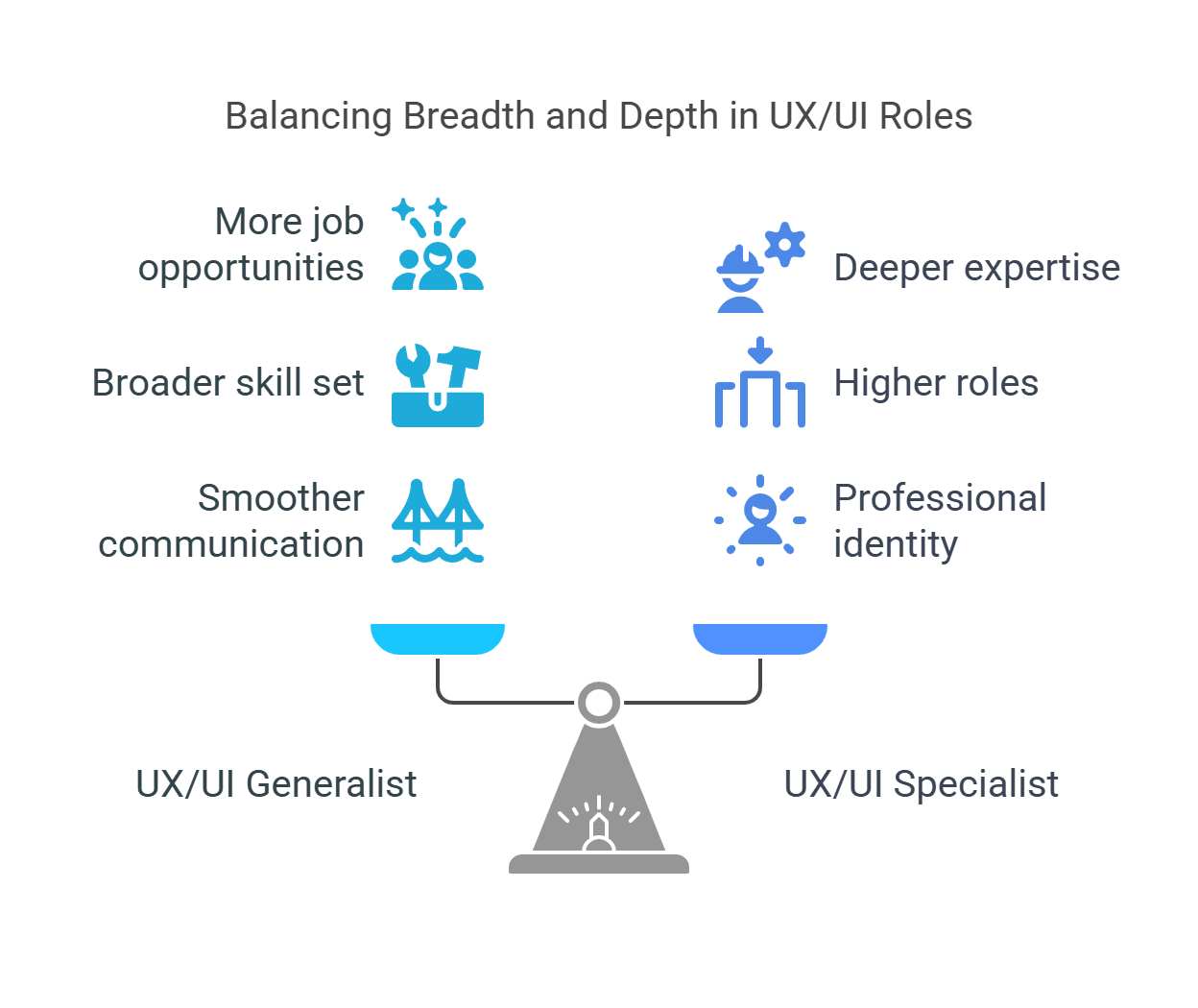
Pros of Being a UX/UI Generalist:
- More job opportunities, especially in startups
- Better end-to-end understanding of product design
- Smoother communication with developers and stakeholders
Challenges:
- Requires a broader skill set and continuous learning
- May feel stretched thin — tough to master both at once
- Can blur your professional identity (harder to specialize)
Best Approach?
If you're early in your career, it’s okay to explore both. But over time, specializing in either UX or UI can lead to deeper expertise and higher roles. Some professionals even evolve into hybrid roles after years of experience.
9. How UX and UI Work Together in Product Teams

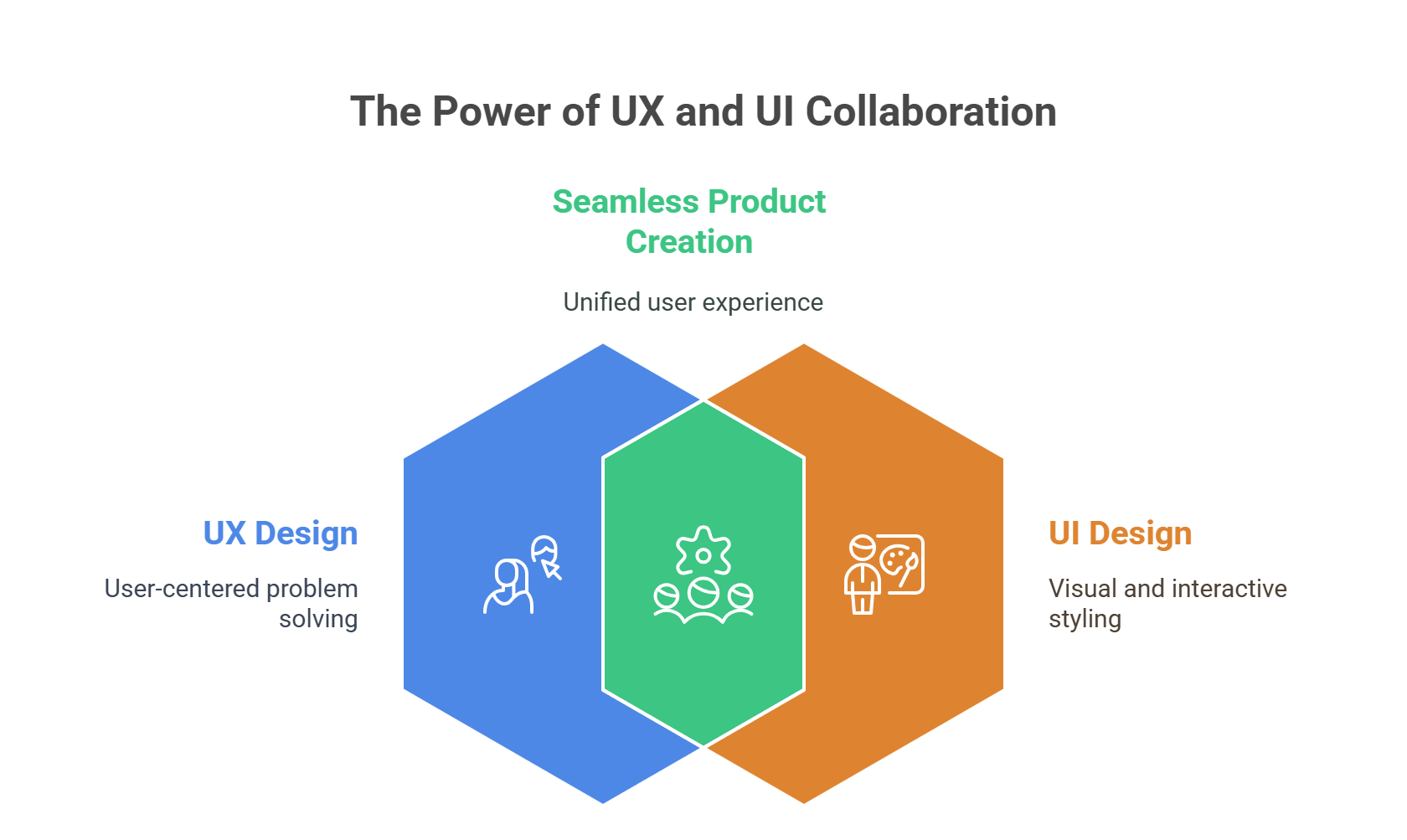
Despite being different in scope, UX and UI design are deeply interconnected. The best products come from seamless collaboration between UX and UI professionals.
Here’s how they typically collaborate in modern product teams:
Step-by-Step Workflow
- User Research (UX)
UX designers begin by understanding the users through research, surveys, interviews, and usability testing.
- Information Architecture and Wireframing (UX)
They map out how content and interactions should be structured — creating wireframes and user flows.
- Visual Design (UI)
UI designers take the wireframes and apply visual style — typography, icons, colors, layouts, and branding elements.
- Prototyping (Both)
UX sets interaction logic; UI adds visuals. Together, they build high-fidelity prototypes for user testing.
- Testing and Feedback (Both)
UX analyzes user behavior; UI tweaks designs for aesthetics and clarity based on user feedback.
- Developer Handoff (Both)
Using tools like Figma and Zeplin, UX and UI jointly deliver assets, interactions, and specs to developers.
Communication is Key
In cross-functional teams, UX and UI designers work closely with:
- Product managers (to align with business goals)
- Developers (to ensure feasibility)
- Marketers and content creators (to align messaging)
The success of a product in 2025 depends not just on skill, but on collaboration between UX and UI roles.
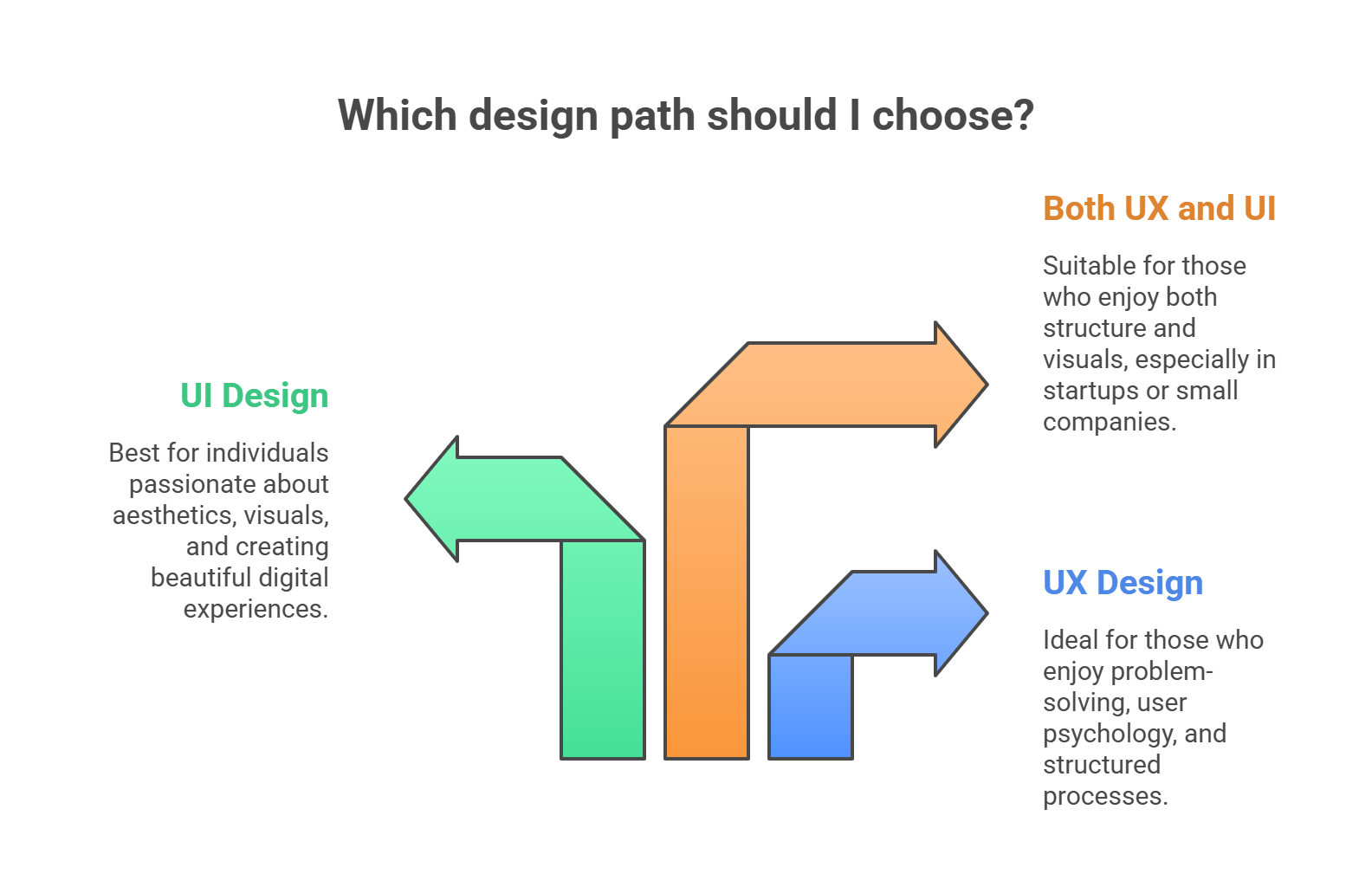
10. Choosing Your Path: UX, UI, or Both?

Still unsure which path fits you best? Let’s look at what type of work might excite you more:
Choose UX Design If You:
- Love problem-solving and logic
- Enjoy user psychology and research
- Prefer structured, process-oriented work
- Want to influence product strategy
Choose UI Design If You:
- Are passionate about aesthetics and visuals
- Love crafting color palettes, fonts, and layouts
- Enjoy making digital experiences beautiful and brand-aligned
- Want to master modern visual tools and styles
Choose Both If You:
- Enjoy both structure and visuals
- Work in a startup or small company
- Want to be a product designer
- Have time and energy to learn and apply both skill sets
Your choice isn’t set in stone. Many designers begin with one and naturally evolve into the other or into hybrid roles. The key is to start.
How Bisjhintus Can Help You Learn UX and UI

Ready to start your journey? Whether you choose UX, UI, or both — Bisjhintus offers a comprehensive design course built for 2025 and beyond.
Our Course Features:
- Beginner-friendly for all backgrounds
- 100% online and flexible
- Covers both UX & UI fundamentals
- Learn tools like Figma, Adobe XD, and Miro
- Build real-world projects for your portfolio
- Get mentored by design professionals
- Lifetime access and community support
Whether you're switching careers or exploring design as a passion, we help you go from beginner to confident designer, with tangible skills and a professional portfolio.
Start your UX/UI journey today. Enroll in the course [Link]
FAQs
1. Can I learn both UX and UI at the same time?
Yes. Many online courses, like the one at Bisjhintus, combine both disciplines. Just ensure you give each the time it deserves.
2. Is coding required for UX or UI design?
No. While understanding front-end code helps in UI handoff, it’s not mandatory for most design roles.
3. What’s more in demand — UX or UI?
Both are in demand. UX roles are slightly more common in large organizations, while UI roles shine in startups and agencies.
4. Which job pays more — UX or UI?
UX roles often pay slightly more due to their strategic impact, but skilled UI designers with strong portfolios can earn equally well.
5. Do I need a design degree to get hired?
No. Employers care more about your skills, portfolio, and how you solve problems than formal education.
Different Roles, One Goal
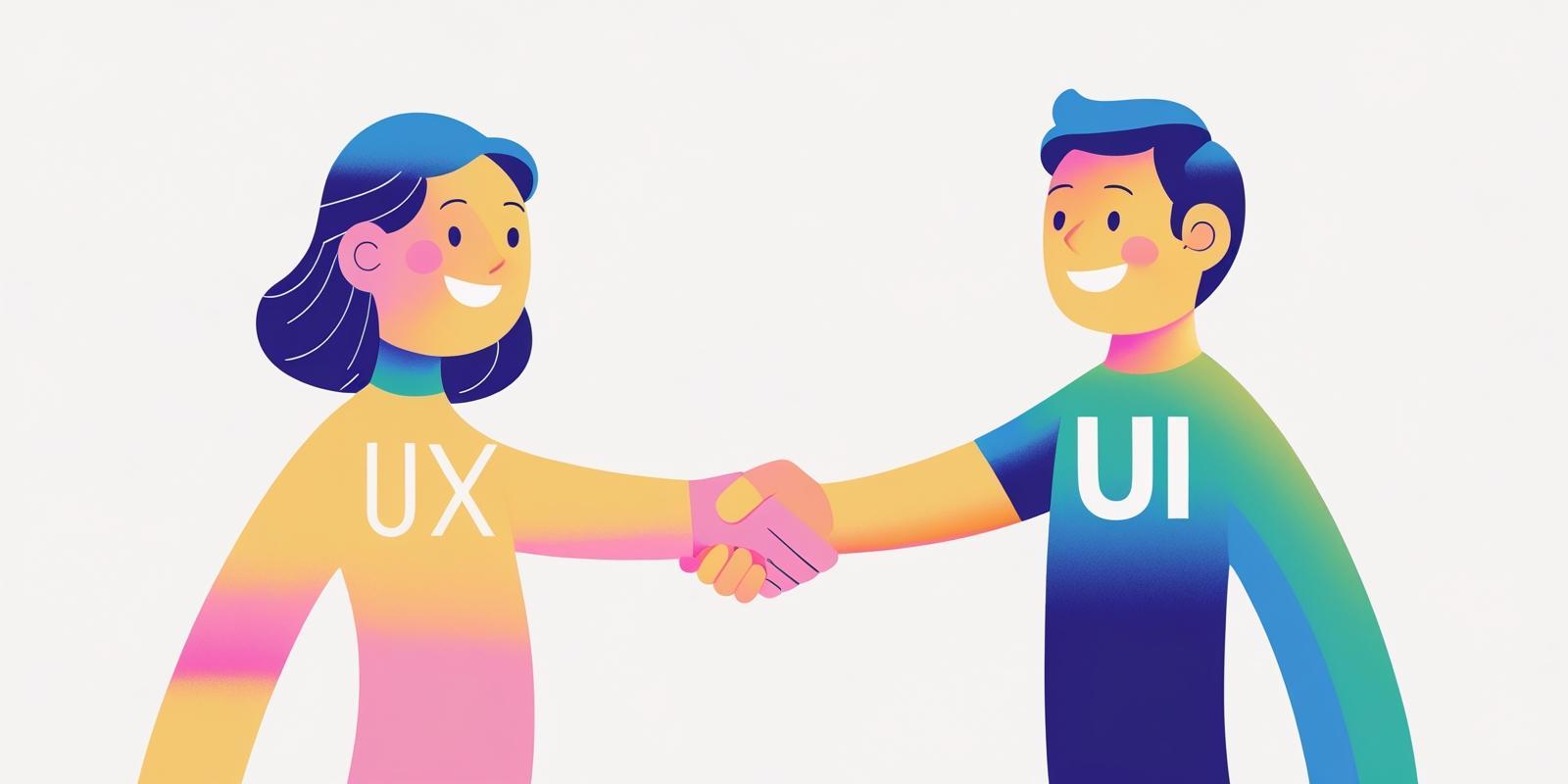
UX and UI are two sides of the same coin. While they focus on different stages of the product development journey, they share a common goal: making user experiences valuable, usable, and enjoyable.
- UX ensures the product works well for users.
- UI ensures it looks and feels right for users.
In 2025, the most successful designers are those who respect both disciplines, collaborate effectively, and continuously learn. Whether you choose UX, UI, or both, you’re entering a field that’s creative, human-centered, and future-proof.
So if you're excited by the thought of improving people’s digital lives, you’re in the right place.
Ready to begin? Learn UX and UI design the right way — with mentorship, projects, and clarity. Join the Bisjhintus Course.
Written By
Critical Legal Writer Intern at BISJHINTUS, English Honours (Gold Medalist) / LL.B.

Designed By
UI/UX Designer at BISJHINTUS

Share this post:
Leave a comment
Your email address will not be published. Required fields are marked *
Write a Review
Related Posts
Discover how to become a UX designer in 2025 with this step-by-step guide. Learn essential skills, t...

Master the 7 top UX design skills for 2025! Learn user research, IA, prototyping, analytics & mo...
